A cross-platform app for creating and managing VirtualBox VMs and external SSH servers: SFTP file transfer, app installation, scripts, monitoring — all with SSH passwords encrypted on-device before they ever reach the server.
The full infrastructure-management cycle from a single app — from creating a virtual machine to streaming output from custom scripts.
The Expo/React Native mobile app talks to a NestJS monolith backend over REST and WebSocket. All SSH operations run through one-time tokens — the server never holds decrypted passwords for longer than a single request. Full architecture breakdown →
flowchart LR
    subgraph client["Mobile client (Expo / React Native)"]
        UI["Screens (expo-router)"]
        RQ["React Query"]
        CR["Crypto Layer (Argon2id, AES-256-GCM)"]
    end

    subgraph backend["Backend (NestJS)"]
        API["REST API"]
        WS["WebSocket Gateway"]
        MODS["auth / vps / server-connection /
cloud-provider / custom-scripts"]
    end

    DB[("MySQL")]
    CACHE[("Redis / Valkey")]
    VBOX["VirtualBox"]
    SSHSRV["External SSH servers"]
    CLOUD["Timeweb / Yandex Cloud API"]

    UI --> RQ --> API
    UI --> WS
    CR -. credential encryption .-> API
    API --> MODS
    WS --> MODS
    MODS --> DB
    MODS --> CACHE
    MODS -- SSH --> VBOX
    MODS -- SSH --> SSHSRV
    MODS -- REST --> CLOUD
Overall architecture: client, NestJS API, MySQL, Redis/Valkey, SSH servers and VirtualBox
SSH credentials never leave the device in plaintext, and every operation is confirmed with a one-time signed token. All defense layers →
| Mobile App | |
|---|---|
| Platform | Expo SDK 54, React Native 0.81 |
| Routing | expo-router 6 (file-based routing) |
| State | Zustand + TanStack React Query 5 |
| Cryptography | react-native-quick-crypto, react-native-argon2 |
| Storage | expo-secure-store, AsyncStorage |
| Backend | |
|---|---|
| Framework | NestJS 11, TypeScript |
| Database | MySQL + Prisma 6 |
| Cache / queues | Redis (Valkey) via ioredis |
| SSH / SFTP | ssh2, ssh2-sftp-client |
| Authentication | Passport JWT, Google/Yandex OAuth, MAX Bot |
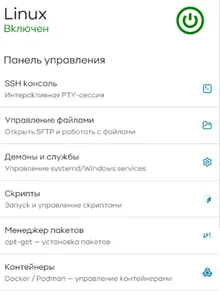
A few screens from the app. View all 15 screenshots →